
Kubeapps
Kubeapps is a web-based UI for deploying and managing applications in your Kubernetes clusters, available at https://apps.h8l.io.
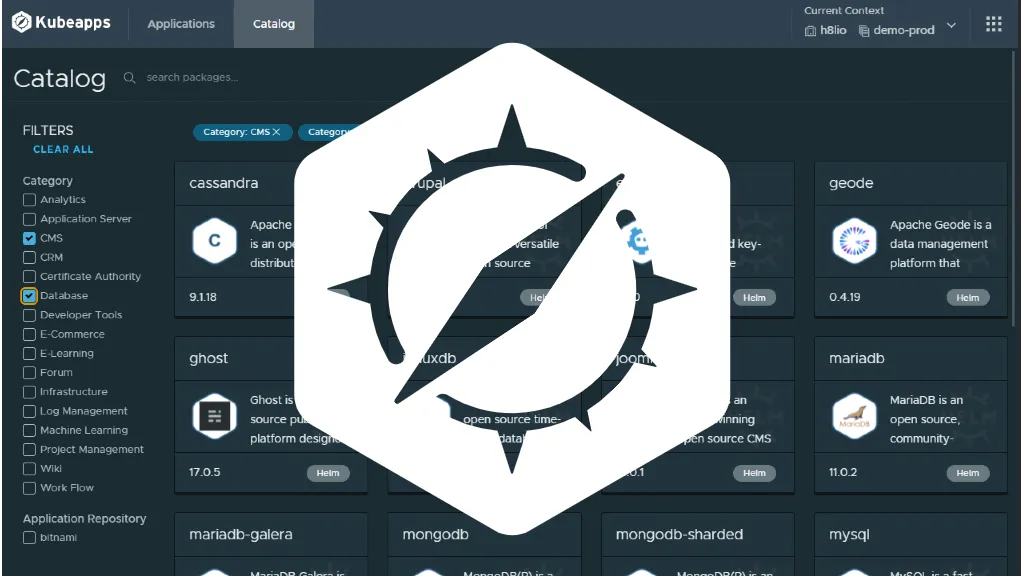
General information
Section titled “General information”- site: https://apps.h8l.io
- documentation: https://kubeapps.com/docs/dashboard/
Authentication
Section titled “Authentication”Click on “LOGIN WITH H8LIO” on the https://apps.h8l.io login page to authenticate on the dashboard.
Repositories
Section titled “Repositories”If you are the owner, administrator or operator of your h8lio domain, you can add your own Helm repositories to the current context by clicking on the top right header menu icon and the menu entry “Add Repositories”. The developers of your domain have a read access.
Refer to the documentation to add a private Repository or a Helm Repository.
Application settings
Section titled “Application settings”Check the Helm configuration to specify the application values before to install or upgrade a Chart.
Dashboard h8lio
Section titled “Dashboard h8lio”On your h8lio domain’s dashboard you can see the “Applications” tab (beside the “Services” tab) which lists the charts present in your current cluster.
Bitnami catalog
Section titled “Bitnami catalog”In August 2025, Bitnami restructured its public container catalog. If your services rely on Bitnami images, the changes below affect you.
reference #83267
What changed
Section titled “What changed”Bitnami restructured its container image catalog with the following key changes:
- Community Tier (Free): only a limited subset of hardened images remains available for free, intended for development use only. These are only available with the “latest” tag.
- Legacy Repository: all existing container images, including versioned tags (e.g., 2.50.0, 10.6), were moved from
docker.io/bitnamitodocker.io/bitnamilegacy. These legacy images receive no further updates or security patches. - Open Source Code: all Helm charts and container images’ open-source code continue to be maintained and accessible on GitHub under the Apache 2 license, allowing you to build your own images if needed.
Why this change
Section titled “Why this change”Bitnami made this transition to:
- Provide more secure, hardened container images with better security practices
- Focus their free offerings on development use cases while maintaining open-source code availability
- Streamline their catalog while ensuring users can still build from source when needed
What you need to do
Section titled “What you need to do”If your services still use Bitnami images:
1. Inventory your current usage
Section titled “1. Inventory your current usage”- Identify all applications using Bitnami images from
docker.io/bitnami - Check which specific image tags you are currently using
- Determine if your usage is for development or production environments
Quick check command:
# Check for Bitnami images in your Kubernetes clusterkubectl get pods -n [your-namespace] -o jsonpath='{range .items[*]}{"\n"}{.metadata.name}{"\t"}{range .spec.containers[*]}{.image}{", "}{end}{end}' | sort | grep bitnami2. Choose your migration path
Section titled “2. Choose your migration path”For development environments:
- Check if your required images are available in the new community tier at
docker.io/bitnamisecure - If available, update your configurations to use only the “latest” tag
- If not available, consider the temporary legacy repository option below
For production environments:
- Recommended: build your own images from the open-source code available at bitnami/containers
- Temporary workaround: update image references to use
docker.io/bitnamilegacy(not recommended for long-term use as these will not receive security updates)
3. Update your infrastructure
Section titled “3. Update your infrastructure”If staying with free community images:
# Update your image references to:docker.io/bitnami/[image-name]:latest → docker.io/bitnamisecure/[image-name]:latestIf using legacy repository temporarily:
# Update your image references to:docker.io/bitnami/[image-name]:[version] → docker.io/bitnamilegacy/[image-name]:[version]For Helm charts: If your Helm charts are failing to pull images, you can temporarily update them:
helm upgrade [RELEASE_NAME] [CHART_NAME] \ --version [SAME_VERSION] \ --set image.repository=bitnamilegacy/[image-name] \ --set global.security.allowInsecureImages=trueImportant security considerations
Section titled “Important security considerations”For production workloads, we strongly recommend building your own images from the open-source code available at bitnami/containers, which continues to be maintained and updated.
Alternative applications management
Section titled “Alternative applications management”While migrating away from Bitnami images, consider these alternative approaches for managing your application deployments.
Official Helm chart repositories with Kubeapps
Section titled “Official Helm chart repositories with Kubeapps”Use official Helm chart repositories through apps.h8l.io (Kubeapps) to discover and install applications directly from their maintainers:
- Access the Kubeapps interface to browse official chart repositories
- Install applications using their official Helm charts, which often use official Docker images
- Benefit from direct support from application maintainers
see Repositories chapter for more details
Direct Helm commands
Section titled “Direct Helm commands”Manage applications using Helm directly with official chart repositories:
# Add official chart repositoryhelm repo add [app-name] [repository-url]helm repo update
# Search for available chartshelm search repo [app-name]
# Install applicationhelm install --namespace [your-namespace] [release-name] [repo/chart-name] -f values.yaml
Beginning in Helm 3, you can use container registries with OCI support to store and share chart packages (see documentation).
GitOps approach with version-controlled configurations
Section titled “GitOps approach with version-controlled configurations”You could create a Git repository (for example, a new service on h8l.io called “apps” or “platform”) to manage your application configurations:
- Structure: use Git branches per environment (dev, qualif, prod, etc.)
- Benefits: store, version, and compare Helm configurations across environments and new releases
- Workflow: track configuration changes through Git history
Once you checked out your new git repository, and with the local commands kubectl and helm, you can create a directory per application with a README.md file which contains the installation and upgrade instructions.
Example with an object store, from the chart h8lio publishes and runs itself (the guide is Object storage):
- Installation
# The chart lives on an OCI registry: no repository to add, pull is anonymoushelm show chart oci://registry.h8l.io/charts/silo          # newest published version
# Check current deploymentshelm --namespace [your-namespace] list
# Generate and customize valueshelm show values oci://registry.h8l.io/charts/silo --version 7.0.3 > values.yamlcp values.yaml silo.yaml# edit silo.yaml with your specific configuration
# Install with custom configuration, at a pinned versionhelm install --namespace [your-namespace] silo oci://registry.h8l.io/charts/silo --version 7.0.3 -f silo.yaml- Upgrade
# Newest published versionhelm show chart oci://registry.h8l.io/charts/silo
# Check current statushelm --namespace [your-namespace] list
# Compare configurationshelm show values oci://registry.h8l.io/charts/silo --version [new-version] > values.yaml# diff values.yaml and silo.yaml to see changes
# Upgrade your chart with the updated configurationhelm upgrade --namespace [your-namespace] --history-max=2 silo oci://registry.h8l.io/charts/silo --version [new-version] -f silo.yaml
This approach gives you better control over your deployments, clear configuration versioning, and the ability to use official images directly from application maintainers.